OPEN SOURCE SMART-HOME PLATFORM

Run your home on infrastructure you control.

Realtime device state, customizable dashboards, automations, and integrations on a stack you operate.
Homenavi dashboard showing weather, quick controls, map, climate, media, and automations

Product walkthrough

One system for devices, people, and automation.

From the first paired device to daily control, assistants, and deployment, Homenavi keeps the home connected without losing your control of it.

DASHBOARD → YOUR WORKSPACE

Build the dashboard you want to live with.

Each person in the household can build a dashboard for their own routines. Resize and rearrange its widgets, then combine core controls with widgets contributed by your integrations.

Explore dashboards
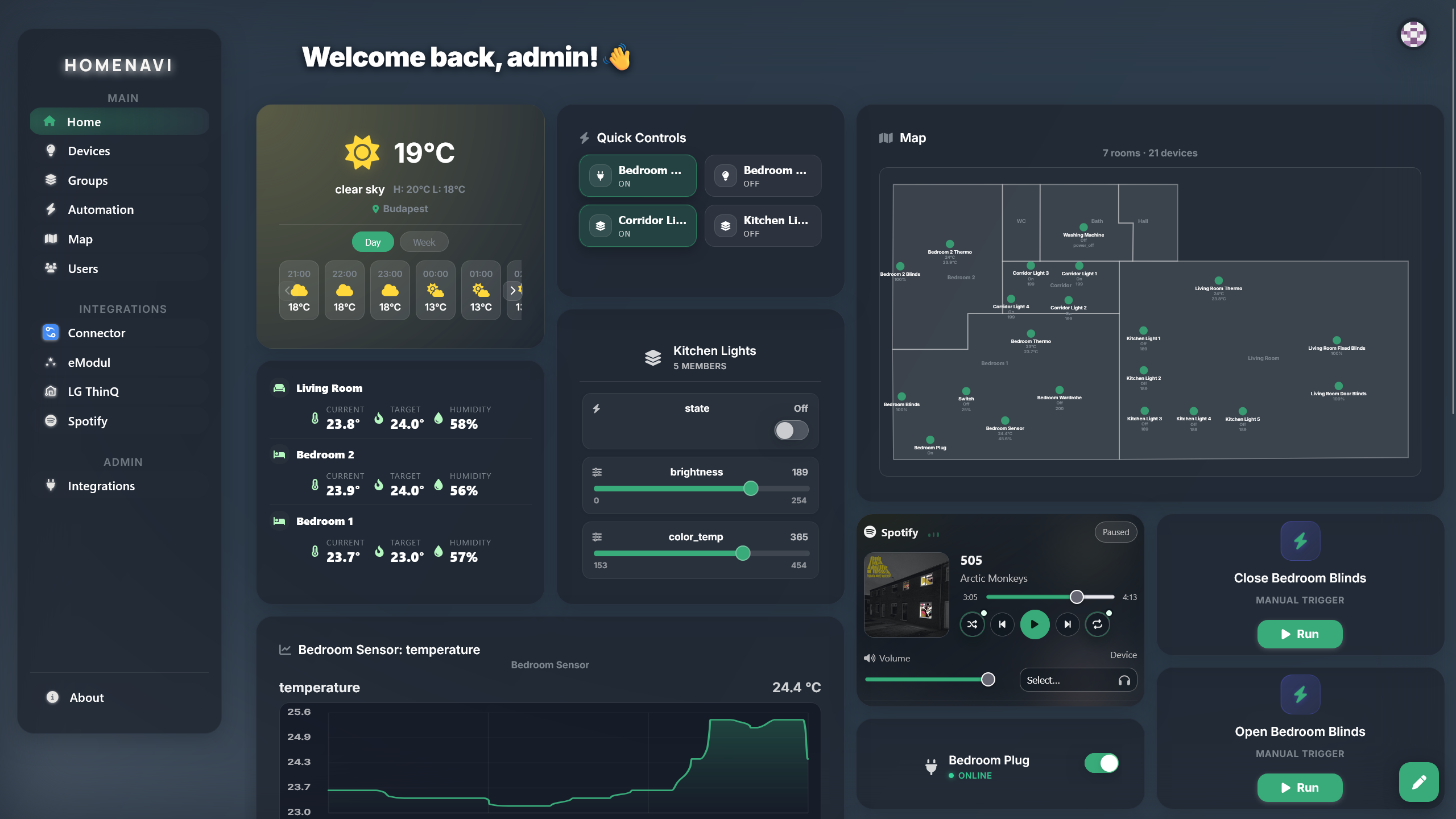
Homenavi dashboard showing customizable widgets and live home state

PAIR → ORGANIZE → CONTROL

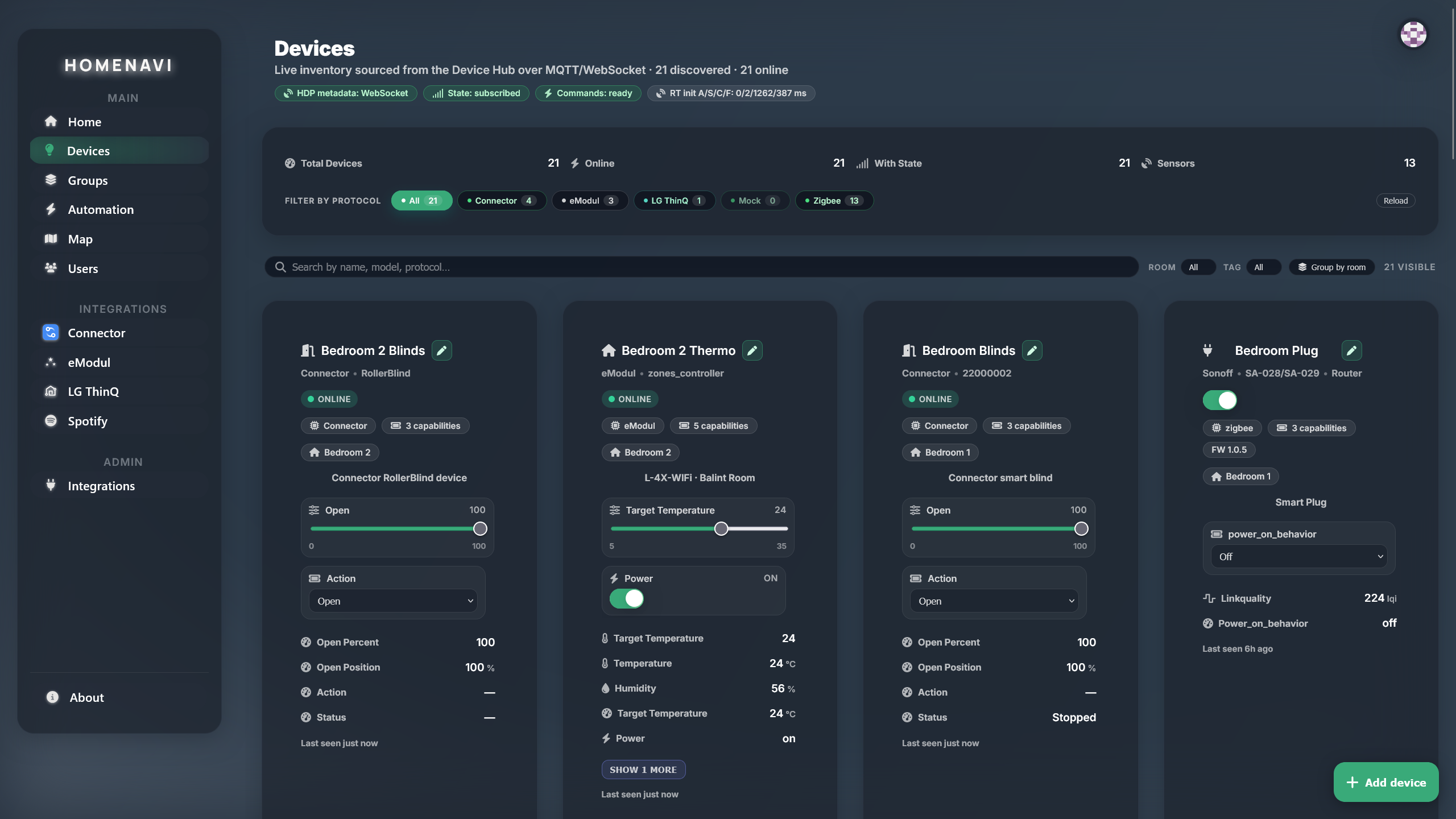
Pair once, find every device the same way.

The Device Hub brings supported integrations into one device inventory. Assign rooms, tags, and groups so a device can be found by place, purpose, or collection.

Read integration setup
Homenavi device inventory with device state

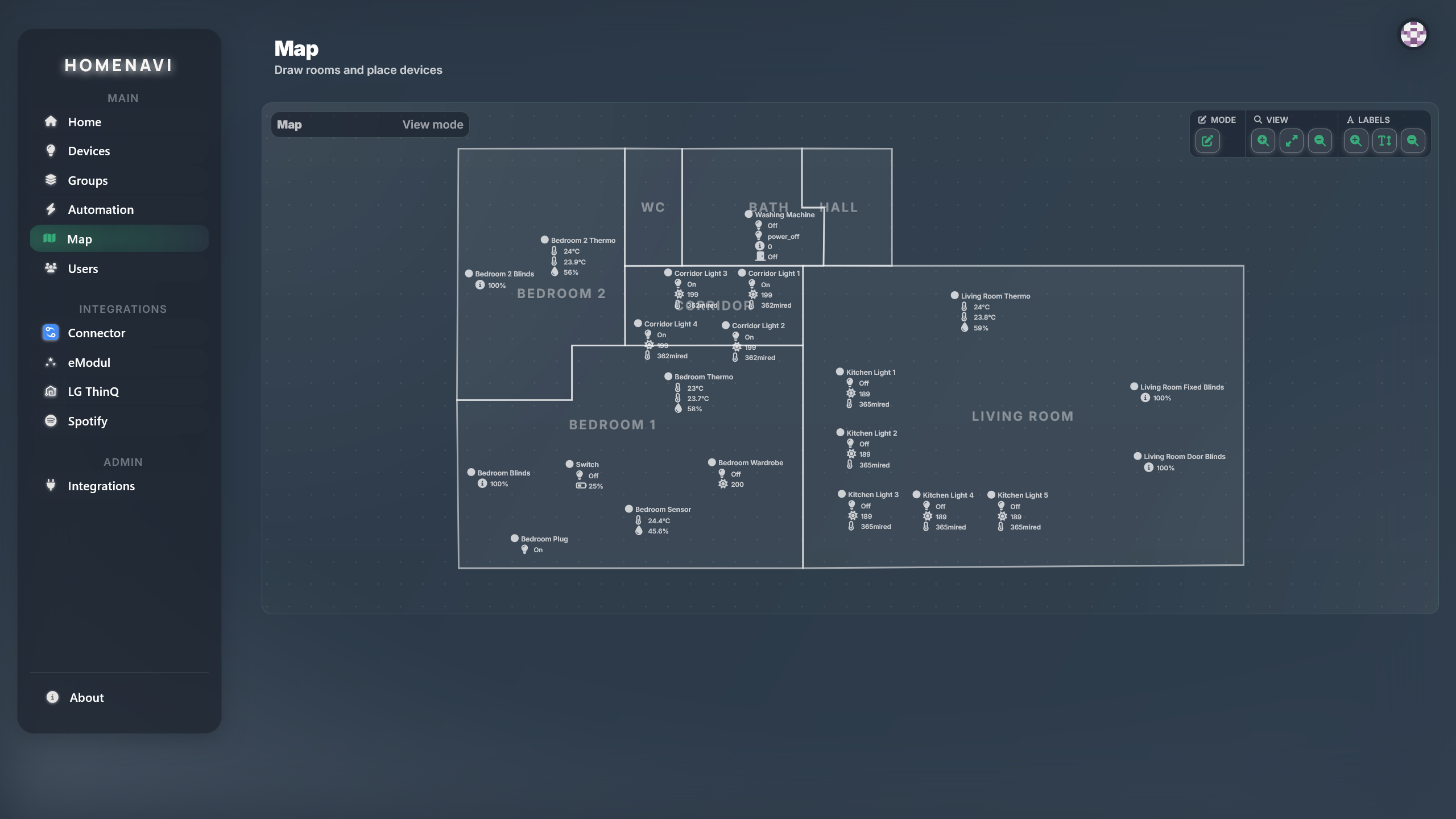
MAP → ROOM → DEVICE LIST

See the home as a place, not a pile of devices.

Place devices on an interactive floor map, inspect room-level state, and move from spatial context into the room-filtered device inventory without losing your place.

Explore maps and rooms
Homenavi floor map showing rooms and device state

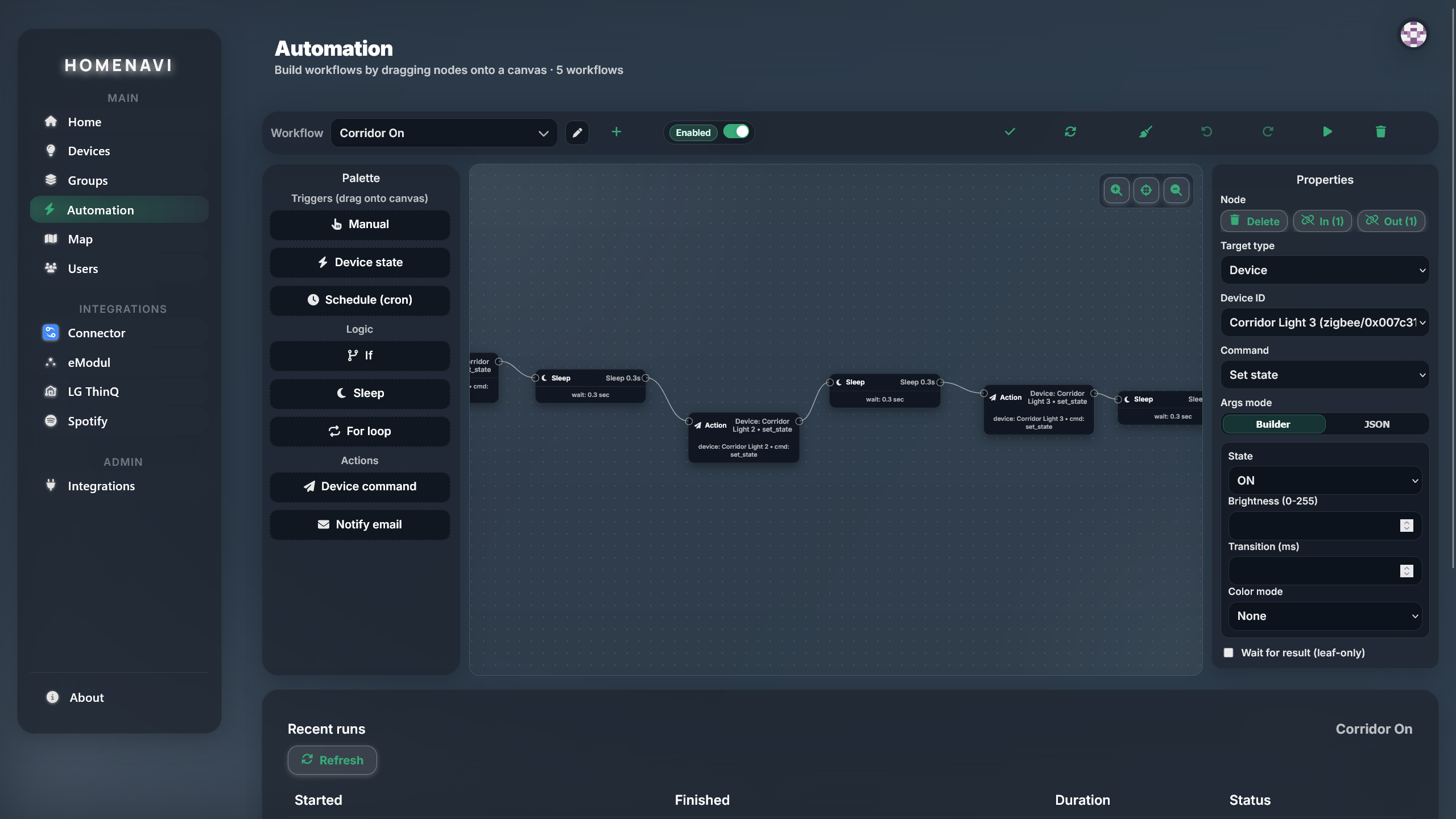
TRIGGER → CONDITIONS → ACTIONS

Build automations with consequences.

Compose triggers, conditions, branches, and actions around real device and integration events. Commands retain correlation and acknowledgement data, so workflows can react to outcomes rather than just send requests.

Read automation guide
Homenavi automation editor with workflow steps

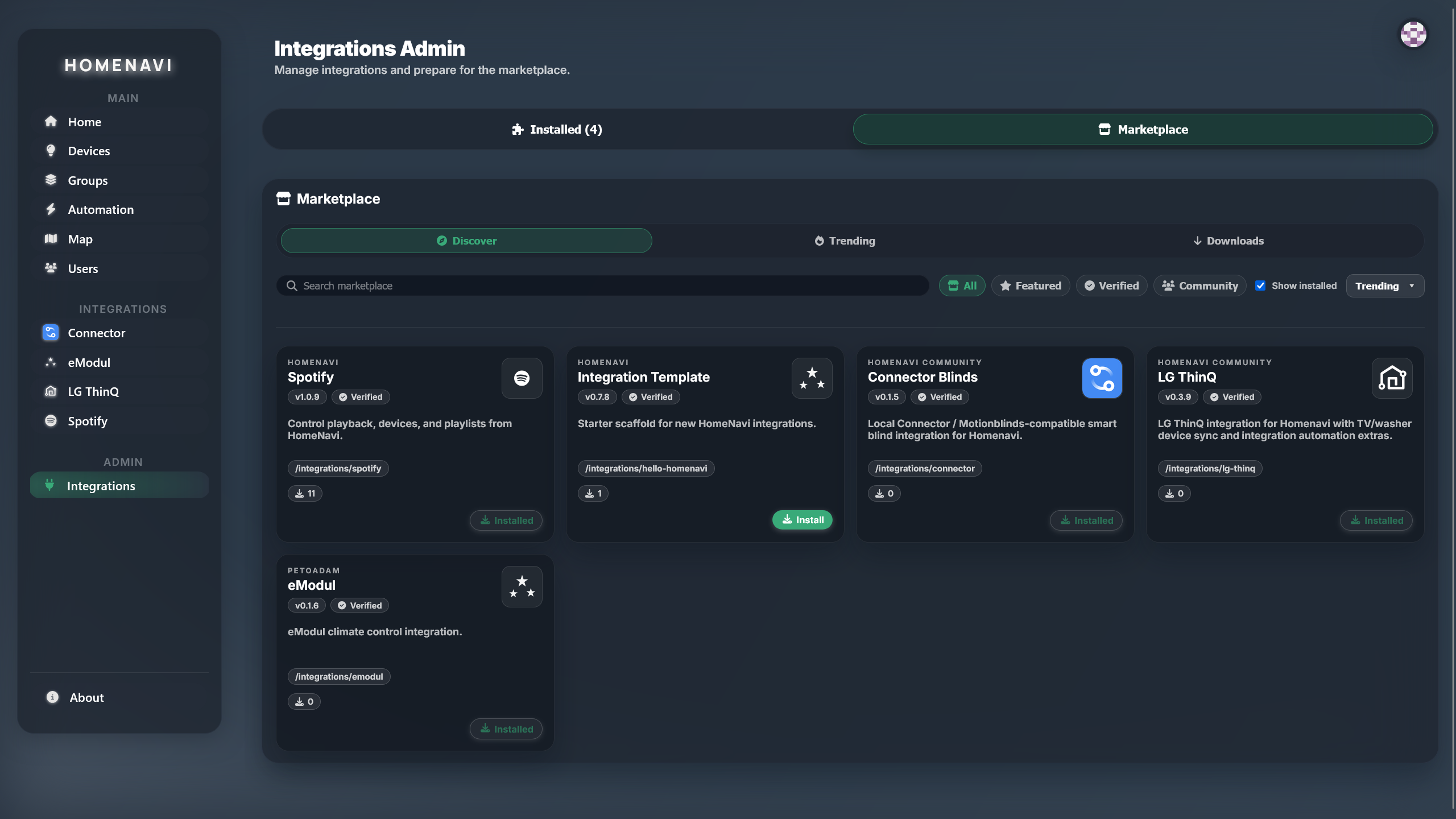
INTEGRATION → HOMENAVI UI

Extend the platform without forking its experience.

Integrations run as independently deployed services and declare their capabilities in a manifest. Devices, setup surfaces, widgets, and automation steps appear as part of the same Homenavi system.

On the roadmap: Integration MCP supportExplore integrations
Homenavi marketplace listing available integrations

MCP → SCOPED TOOLS → ASSISTANTS

Bring an assistant to a system you still control.

Model Context Protocol gives compatible assistants scoped tools for Homenavi inventory, history, device and group control, and workflow runs. OAuth 2.1 and PKCE keep the assistant outside your core deployment boundary.

On the roadmap: DIY voice assistant in developmentRead the MCP guide
01MCP client
02OAuth 2.1 + PKCE
03Scoped Homenavi tools

AUTHENTICATE → AUTHORIZE → OPERATE

Keep control boundaries explicit.

Authentication, session validation, and role-based access control sit at the edge before protected services receive a request. Device control stays tied to a real identity and explicit permissions.

Inspect the architecture
01Identity
02API Gateway
03Protected services

COMPOSE → HELM → HA PROFILE

Deploy for the home you run.

Start with Docker Compose for a local or small instance, or use Helm and the HA profile when Kubernetes fits your operating model. ARM64 support makes capable Pi-class homelab hardware a documented option.

Plan your deployment
01Docker Compose
02Helm
03HA profile

PWA → RESPONSIVE CONTROL → ROADMAP

Use the control plane wherever you are.

Homenavi is already a mobile-friendly PWA that you can install from a supported browser. A native mobile app and Matter support are planned additions to that same home model.

On the roadmap: Native mobile app and Matter supportExplore the platform
Homenavi dashboard shown in the web application

Continue exploring

Choose the path that matches your next question.

Run Homenavi your way.

Start with Compose for a local or small instance, or move directly to Helm when your homelab already runs Kubernetes.

compose deploymentself-hosted
git clone https://github.com/PetoAdam/homenavi.git
cd homenavi
cp .env.example .env
docker compose pull
docker compose up -d

The canonical path for local and small instances. Add the opt-in mock-adapter profile to explore without hardware.

Plan this deployment

Integration roster

Showing 5 of 5 integrationsfrom marketplace.homenavi.org

Explore all integrations